.png)


.png)
Summary
- AI speech coaches provide a pressure-free, on-demand way to improve communication by analyzing your speaking pace, filler words, and tone.
- They offer objective, data-driven feedback, making it easier to build confidence and practice consistently without scheduling or performance anxiety.
- While AI is great for frequent practice, human coaches provide superior strategic feedback for high-stakes presentations.
- For sales teams, specialized platforms like Hyperbound offer AI roleplays to master critical conversations like demos, objection handling, and renewals.
You're standing in front of an important audience. Your palms are sweaty, your mind goes blank, and suddenly those hours of preparation evaporate as you stumble through your presentation. The timer runs out before you reach your conclusion, and you leave feeling defeated.
Sound familiar?
Public speaking remains one of our most common fears. Yet, mastering high-stakes communication—from presenting at an all-hands meeting to delivering a critical sales pitch—is an essential skill for career advancement. While traditional practice methods like rehearsing in front of a mirror or asking friends for feedback have their place, they come with significant limitations - scheduling conflicts, subjective opinions, and the anxiety of performing in front of others.
This is where AI speech coaches are changing the game.
"I actually was thinking of creating something like this. I'm glad that you created it," remarked one user about AI coaching technology - highlighting the growing demand for accessible, pressure-free practice environments.
But what exactly are AI speech coaches? How do they work? And can an algorithm really replace a human coach? Let's explore this revolutionary technology that's transforming how we prepare for presentations, interviews, and everyday conversations.
The Rise of AI Speech Coaches: Your On-Demand Communication Partner
AI speech coaches have emerged as powerful tools for anyone looking to improve their communication skills, offering several key advantages over traditional methods:
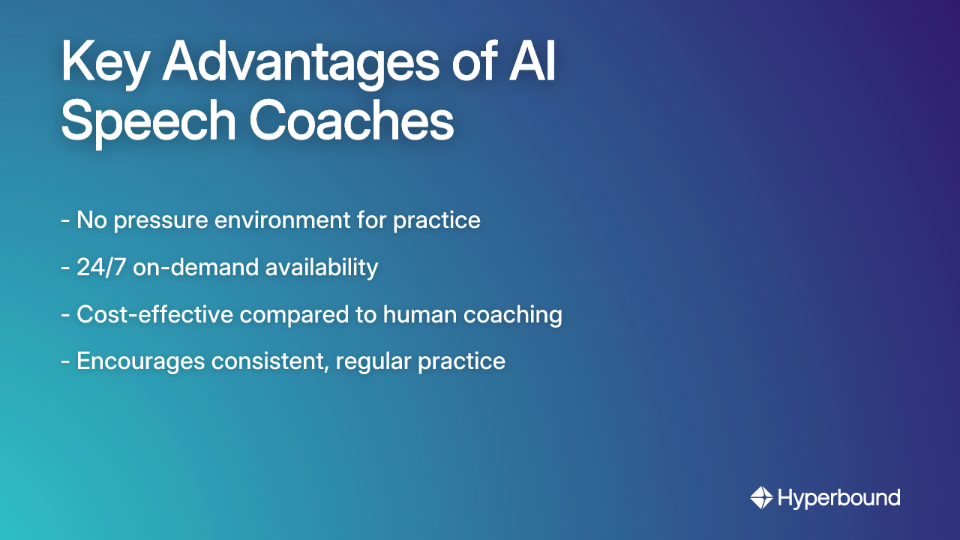
No Pressure Environment: Practice without the anxiety of performing in front of others. Make mistakes freely, experiment with different approaches, and develop confidence in private.
On-Demand Access: Eliminate scheduling constraints entirely. Whether you're preparing for a morning meeting at 11 PM or want to practice while commuting, AI coaches are available 24/7 to fit your schedule.
Cost-Effective Learning: While human coaching can cost hundreds of dollars per session, many AI platforms offer affordable subscriptions that make professional-level feedback accessible to everyone. Options range from specialized sales coaching platforms like Hyperbound to general-purpose tools like Poised and Yoodli, with some platforms even offering free versions (like Microsoft Speaker Coach).
Consistent Practice: The accessibility of AI coaches encourages more frequent practice sessions. As one user enthusiastically shared, "There is a lot of potential here. I liked playing with it. Thank you!" This regular practice builds the muscle memory and self-awareness essential for confident public speaking.
These benefits address the fundamental challenge many face: finding convenient, low-pressure opportunities to practice and receive objective feedback on communication skills.
Under the Hood: How AI Speech Coaches Work
For the technically curious who ask, "Can you share a bit about its development?" or "What are you using for tts and asr?", let's demystify the technology behind these AI coaches:
Step 1: Capturing Your Speech (ASR)
The process begins with Automatic Speech Recognition (ASR) technology. This sophisticated system listens to your voice and converts spoken words into text. Services like Amazon Transcribe power many AI coaches, handling various accents, speech patterns, and even industry-specific jargon through custom vocabulary settings.
Step 2: AI-Powered Analysis (LLMs)
Once your speech is converted to text, the magic happens. Large Language Models (LLMs) analyze both the content and delivery aspects:
- Content analysis examines your word choice, sentence structure, and overall message clarity
- Delivery analysis processes audio data to evaluate your pace, volume, tone, and filler word usage
As detailed in an AWS blog post, platforms like Amazon Bedrock can leverage generative AI to create personalized feedback based on this analysis.
Step 3: Delivering Feedback (TTS & UI)
The final step is communicating this analysis back to you. Most platforms display feedback through intuitive dashboards with visualizations and metrics. For interactive coaches that respond verbally, Text-to-Speech (TTS) technology converts the AI's text analysis into natural-sounding voice responses, creating what users refer to as a "real-time voice interface."
The Metrics that Matter: What Can an AI Coach Analyze?
AI speech coaches can track an impressive array of metrics to give you comprehensive feedback:
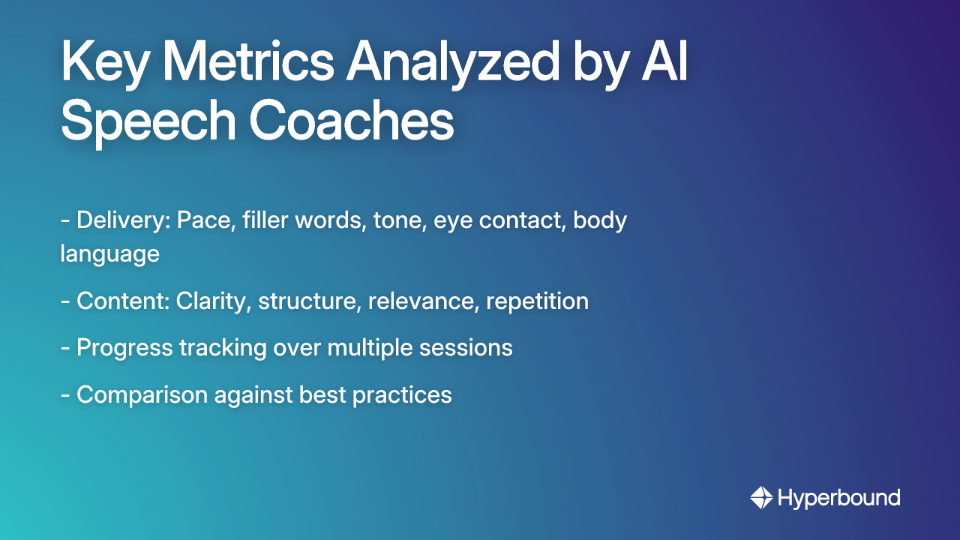
Delivery Metrics
- Speaking Pace: Measures your words per minute to ensure you're not racing through content or speaking too slowly. The ideal range is typically 120-150 WPM for most presentations.
- Hesitation Words: Counts filler words like "um," "ah," "like," and "you know" that can undermine your authority. VirtualSpeech reports that reducing these can dramatically improve perceived expertise.
- Volume & Tone: Assesses whether you're speaking loudly enough and with appropriate emotional resonance. Some advanced platforms even suggest when to vary your tone for emphasis.
- Eye Contact: Premium tools like VirtualSpeech use an Eye Contact Heatmap to visually represent where you're looking during a presentation, helping you distribute your gaze effectively.
- Body Language: For platforms with video capabilities, AI can analyze posture, hand gestures, and facial expressions to provide feedback on non-verbal communication.
Content Metrics
- Clarity & Structure: Evaluates the logical flow and organization of your message to ensure your audience can follow along.
- Relevance: Assesses how effectively you answer questions or address the topic at hand.
- Repetitions: Flags overused words and phrases, helping you diversify your vocabulary and maintain audience engagement.
As SpeechCoachIO recommends, recording and reviewing your sessions amplifies the value of these metrics, allowing you to track progress over time and validate the AI feedback against your own perceptions.
Finding the Right AI Coach for Your Needs
With numerous AI speech coaches available, the best choice depends on your specific goals. Here’s a look at leading options for different use cases:
For High-Stakes Professional Communication: Hyperbound
Unique Feature: Hyperbound is an advanced AI Sales Coaching platform that analyzes your organization's best sales calls to create hyper-realistic AI roleplays. It's designed to master critical conversations, from sales pitches and demos to objection handling, and renewals.
Pros: Ideal for sales teams and professionals who need to master high-stakes conversations. It provides a safe environment to practice and receive data-driven feedback on what actually works, helping reduce ramp time for new hires and drive consistent performance across the team.
Cons: As a comprehensive B2B platform, it's geared more towards sales organizations rather than individuals looking for casual public speaking practice.
For Real-Time Meeting Feedback: Poised
Unique Feature: Integrates with over 800 platforms including Zoom, Google Meet, and Microsoft Teams to provide private, real-time feedback during actual meetings and presentations.
Pros: Often described as the "Grammarly of speech," Poised offers unobtrusive real-time guidance without interrupting your flow. It also provides AI-generated summaries and action items after meetings.
Cons: According to a comprehensive review from Duarte, Poised lacks video feedback for body language analysis, which limits its coaching scope.
For Immersive Practice: VirtualSpeech
Unique Feature: Uses virtual reality to place you in realistic environments ranging from small meeting rooms to large auditoriums with interactive audiences.
Pros: Excellent for building confidence by simulating real-world distractions and pressure. Provides detailed analytics on both delivery and content aspects of your presentation.
Cons: The user experience can be unintuitive for some users, and the VR hardware represents an additional investment.
For Accessible, Foundational Practice: Microsoft Speaker Coach & Yoodli
Microsoft Speaker Coach: Easily accessible within PowerPoint, it provides basic feedback on pace and fillers. Perfect for beginners but lacks deep analytics.
Yoodli: Offers a recording library that can be shared with human coaches for additional feedback, though its AI feedback can sometimes be vague.
The Human Touch vs. The Algorithm
Despite their impressive capabilities, AI speech coaches have important limitations to consider:
No Contextual Understanding: AI can't distinguish between a casual team update and a high-stakes investor pitch. Its feedback lacks contextual nuance that a human coach instinctively provides.
Limited Content Coaching: While AI excels at analyzing delivery, a human communication coach is far better at refining your core message, storytelling approach, and strategic positioning.
Repetitive Feedback: AI can give the same advice repeatedly without adapting to your individual learning style or recognizing when you need encouragement versus critique.
When to Use AI: For building foundational skills, frequent practice, budget-conscious improvement, and overcoming initial anxiety.
When to Hire a Human Coach: For high-stakes presentations, nuanced content feedback, and advanced speakers looking to master their craft.
The ideal approach often combines both: using AI for consistent practice and data-driven improvement, while periodically consulting a human coach for strategic guidance and personalized development.
Ready to Get Started?
Whether you're preparing for a major presentation or mastering the high-stakes conversations that drive your career, AI coaching offers an accessible, data-driven way to improve. If you're part of a sales organization looking to elevate team performance, discover how Hyperbound's AI Sales Coaching platform can help.
For developers interested in creating custom coaching solutions, check out this GitHub repository that provides code for building a generative AI-based virtual assistant using Amazon Bedrock.
Remember, the greatest speakers weren't born with their skills—they developed them through consistent practice and feedback. With AI speech coaches, that path to mastery is more accessible than ever before.
Frequently Asked Questions
What is an AI speech coach?
An AI speech coach is a software application that uses artificial intelligence to analyze your speech and provide feedback on your communication skills. It acts as a virtual, on-demand partner, helping you practice presentations, interviews, or sales pitches by evaluating metrics like speaking pace, filler word usage, tone, and even content clarity in a private, pressure-free environment.
How do AI speech coaches work?
AI speech coaches work by using a three-step process. First, Automatic Speech Recognition (ASR) technology converts your spoken words into text. Then, Large Language Models (LLMs) analyze this text and your audio to assess both content and delivery. Finally, the AI provides feedback through a user interface, sometimes using Text-to-Speech (TTS) for verbal responses.
Can an AI coach help with public speaking anxiety?
Yes, an AI coach can significantly help with public speaking anxiety. It provides a completely private and non-judgmental space to practice, allowing you to make mistakes and build confidence without the fear of being watched. This pressure-free environment encourages consistent practice, which is one of the most effective ways to build the self-awareness and muscle memory needed to overcome speaking fears.
What are the main benefits of using an AI speech coach over a human coach?
The main benefits of using an AI speech coach are accessibility, cost-effectiveness, and the absence of pressure. AI coaches are available 24/7, allowing you to practice whenever you want, whereas human coaches require scheduling. They are typically much more affordable than one-on-one coaching and provide an objective, data-driven analysis in a private setting where you can rehearse freely.
What metrics can an AI speech coach analyze?
AI speech coaches can analyze a wide range of metrics related to both delivery and content. Key delivery metrics include your speaking pace (words per minute), use of filler words (like "um" and "ah"), volume, and vocal tone. For content, they can assess clarity, structure, and word choice. More advanced platforms with video capabilities can also analyze body language and eye contact.
Are AI speech coaches free?
Some AI speech coaches offer free versions or trials, while others operate on a subscription model. For example, Microsoft Speaker Coach is a free tool available within PowerPoint that provides basic feedback. More specialized platforms like Hyperbound or Poised are typically paid services, offering advanced features and deeper analytics tailored for professional or team use.
When should I choose a specialized AI coach like Hyperbound over a general one?
You should choose a specialized AI coach when you need to master a specific type of high-stakes communication. While general tools are great for foundational public speaking, a platform like Hyperbound is designed specifically for sales coaching. It uses AI to create hyper-realistic roleplay scenarios based on your company's own sales calls, helping you master objection handling, demos, and other critical sales conversations.
Book a demo with Hyperbound


