.png)


.png)
Summary
- Setting up an AI notetaker for Zoom takes less than 5 minutes and solves the problem of frantic, incomplete note-taking by automatically transcribing, summarizing, and identifying action items.
- You have two main options: enable Zoom's free, built-in AI Companion if you're on a paid plan, or choose a third-party tool for more advanced features and cross-platform support.
- Beyond simple summaries, advanced platforms like Hyperbound analyze sales conversations to provide AI-powered scoring and coaching, turning every meeting into an opportunity to improve team performance.
You've just wrapped up another hour-long Zoom meeting. Your hand is cramping from frantic note-taking, you missed key points while typing, and now you're staring at a jumbled mess of incomplete thoughts. Sound familiar?
In a sea of AI notetaking tools—many just "bolting AI onto legacy note tools" as frustrated users point out—finding the right solution can feel like a project in itself. You might be wondering, "Sometimes it's just hard to pick one, ya know?" as one Reddit user lamented.
Even worse, you might end up with what another user described as "a neatly organized archive you never actually use," solving nothing.
This guide cuts through the noise. In less than 5 minutes, you'll learn exactly how to set up an AI notetaker for Zoom that actually works, whether through Zoom's native AI Companion or a powerful third-party tool. No more splitting attention between listening and typing. No more missing critical details.
Today is your last day of manual note-taking.
Why Bother? The Immediate Payoff of an AI Notetaker
Before diving into setup, let's quickly address why this 5-minute investment will transform your meetings:
.png)
- Enhanced Focus: Stop juggling listening, speaking, and typing simultaneously. With an AI handling transcription, you can fully engage in conversations, leading to better contributions and deeper connections.
- Time Reclaimed: The average professional spends 31 hours monthly in meetings. AI notetakers automatically transcribe, summarize, and organize this time, eliminating hours of administrative busywork.
- Unlock Performance Insights: Go beyond simple transcription. AI can analyze conversations to identify winning talk tracks, customer sentiment, and areas for skill improvement, turning every meeting into a coaching opportunity.
- Flawless Recall: Capture every detail without human error. Get a searchable transcript and let AI identify critical takeaways you might have missed—directly addressing the common frustration that tools "don't solve recall, just capture information."
- Effortless Collaboration: Instantly share concise, actionable summaries with your team, ensuring everyone aligns on next steps without lengthy email chains.
Path 1: The 5-Minute Setup for Zoom's Native AI Companion
If you have a paid Zoom Workplace plan, you already have access to a powerful AI notetaker built right in—no third-party apps required.
Who it's for: Users on paid Zoom plans who want seamless integration without additional tools.
Step-by-Step Activation:
- Sign in to your Zoom web portal
- Navigate to Settings in the left-hand menu
- Click the AI Companion tab
- Find the Meeting Summary with AI Companion feature and toggle it ON
- Choose your preferences for summary sharing (e.g., automatically share with all attendees or only with the host)
- Click Save
That's it! Your next Zoom meeting will automatically generate an AI-powered summary.
Standout Features:
- Instant Summaries: Get a one-page meeting recap accessible directly from your calendar
- Multi-Language Support: Transcribes meetings in 33 different languages
- Task Automation: Can update records in HubSpot, edit project plans in Asana, and capture team updates in Slack
- Privacy Assurance: Zoom explicitly states it does not use customer audio, video, or chat content to train its AI models, keeping your sensitive information secure
Path 2: The 5-Minute Setup for Third-Party Power-Ups
Not on a paid Zoom plan? Need more advanced features? Third-party AI notetakers offer powerful alternatives with unique capabilities.
Who they're for: Users on free Zoom plans, or those needing specialized features like cross-platform support (Microsoft Teams, Google Meet), deeper integrations, or advanced AI capabilities.
Example A: For Specialized Needs like Sales Coaching (Hyperbound)
Best for: Sales teams who want to turn meeting analysis into improved performance.
While standard notetakers capture what was said, platforms like Hyperbound analyze how it was said to identify winning behaviors and scale them across your team. It's designed not just for recall, but for active coaching and skill development.
- Sign Up and Connect: Create an account on Hyperbound.ai and connect your Zoom account via the integrations settings.
- Configure Analysis: Choose which meetings you want Hyperbound to analyze—for instance, all external sales calls.
- Let AI Do the Work: Hyperbound joins your calls, records them, and provides in-depth analysis, call scores against your methodology, and identifies coaching moments.
After the call, you get more than a transcript. You get actionable insights on what top performers do differently, allowing reps to practice those scenarios with AI-powered roleplays.
Choosing Your AI Sidekick: A Quick Guide to the Best Tools
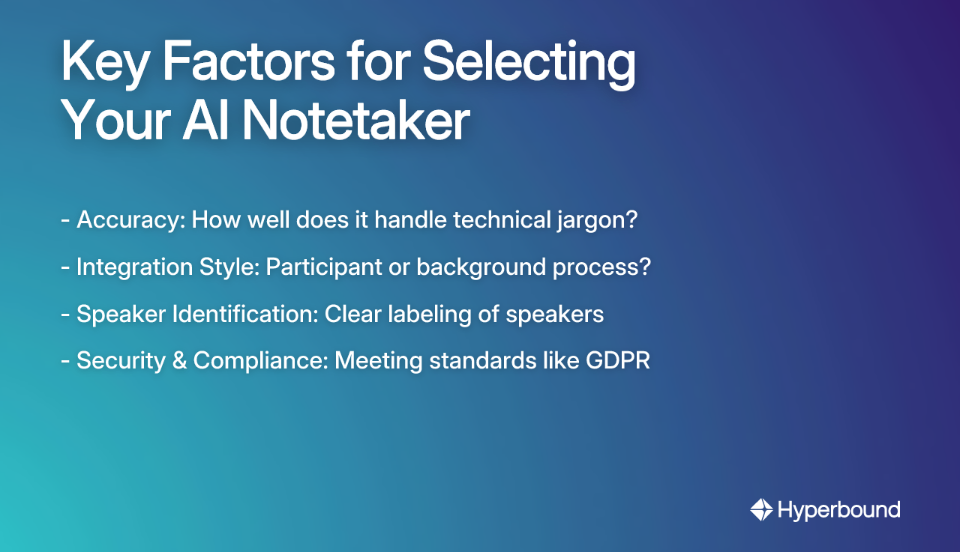
With the market feeling "super fragmented" as users note, how do you choose the right tool? Consider these factors:
- Accuracy: How well does it handle technical jargon or speakers with accents?
- Integration Style: Does it join as a participant or run quietly in the background?
- Speaker Identification: Does it clearly label who said what?
- Security & Compliance: Does it meet standards like GDPR?
Here's a quick look at top contenders based on user feedback and specialized strengths:
- Hyperbound: The ideal choice for sales organizations. It goes beyond transcription to provide AI-powered call scoring, coaching, and realistic roleplays to ramp new hires faster and improve team performance.
- Otter.ai: A popular option for generating clean, condensed summaries with minimal setup time.
- Jamie: Praised for its accurate transcription and "bot-free experience" that doesn't disrupt meetings.
- Fireflies.ai: A strong choice for creating shareable soundbites from meetings with high accuracy.
- Notta: A powerhouse for language support, offering AI translation in over 50 languages.
- Krisp: Combines notetaking with excellent noise cancellation and "accent conversion" that "makes voices sound clearer and easier to understand" according to users.
From Summary to Action: Maximizing Your AI Notetaker
Setting up an AI notetaker is just the beginning. The real challenge, as one Reddit user pointed out, is that "You just end up with a neatly organized archive you never actually use." Let's solve that problem by turning your AI notes into actionable resources:
Generate Actionable Next Steps
Don't just read the summary. Use your tool's AI to automatically identify and list action items. Most modern AI notetakers can:
- Extract tasks and deadlines from natural conversation
- Assign owners to specific action items
- Send these tasks directly to workflow tools like Asana, Trello, or Slack
For example, a good tool can automatically detect when someone says "I'll send that report by Friday" and create a trackable action item with the deadline included.
Solve for Knowledge Recall
Your transcripts are now a searchable knowledge database—use them! This directly addresses the common frustration that many tools "don't solve recall, just capture or summarize information."
- Recall what was said: Use built-in search or AI Q&A features to instantly retrieve information from the current meeting or past conversations (e.g., "What budget figure did Sarah mention?").
- Recall what works: For sales teams, platforms like Hyperbound can analyze thousands of calls to identify the talk tracks and techniques of your top performers. This turns your meeting archive into a playbook of winning behaviors, not just a record of conversations.
- For new team members: Create an onboarding resource by having your AI summarize key decisions and processes from past meetings
Turn Insights into Performance with AI Coaching
The most advanced tools don't just summarize—they help you improve. Sales coaching platforms with built-in notetaking capabilities, like Hyperbound, use the meeting data to drive skill development:
- Objective Call Scoring: Get unbiased, data-driven feedback on how well reps adhere to your sales methodology on both practice roleplays and real customer calls.
- Personalized Coaching: The AI delivers instant, personalized feedback after each call, highlighting strengths and areas for improvement, which accelerates learning.
- Safe Practice Environment: Reps can use insights from real calls to practice tough scenarios—like objection handling or navigating competitive questions—in hyper-realistic AI roleplays before they talk to a live prospect.
Repurpose Your Conversations
Turn a single meeting into multiple assets. Use your AI notetaker to transform discussions into:
- Client-ready documents and proposals
- Blog post outlines and content briefs
- Internal team updates and newsletters
- Training materials and process documentation
This approach ensures your captured information actively serves your workflow rather than gathering digital dust.
Reclaim Your Focus in Your Next Meeting
Setting up an AI notetaker for Zoom is a five-minute task with an enormous return on investment in time, attention, and information management.
Whether you choose Zoom's seamlessly integrated AI Companion or a more advanced tool like Hyperbound for specialized coaching, you're just a few clicks away from transforming how you experience and leverage your meetings.
Don't let another meeting go by with frantic, incomplete note-taking. Pick a tool from this guide and set it up before your next call.
Your future, more focused self will thank you—and so will your team when they receive those crisp, actionable summaries instead of vague follow-up emails.
The days of trying to listen, contribute, and take notes simultaneously are officially over. Welcome to meeting 2.0, where AI handles the administrative work while you focus on what truly matters: the conversation and connections that drive your work forward.
Frequently Asked Questions
What is an AI notetaker for Zoom?
An AI notetaker for Zoom is a tool that automatically transcribes, summarizes, and identifies key insights from your video meetings. Instead of manually typing notes, the AI listens to the conversation and provides you with a detailed record, action items, and a concise summary after the meeting, allowing you to stay fully engaged in the discussion.
How do I set up an AI notetaker for Zoom?
You can set up an AI notetaker in under five minutes through two primary methods. First, if you have a paid Zoom plan, you can enable the built-in AI Companion directly in your Zoom web portal settings. Alternatively, you can sign up for a third-party service like Hyperbound, Otter.ai, or Fireflies.ai and connect it to your Zoom account, which is ideal for users on free plans or those needing advanced features.
Is Zoom's AI Companion free to use?
No, Zoom's AI Companion is not available on the free Basic plan. It is included at no additional cost for users on paid Zoom Workplace plans (Pro, Business, Business Plus, Enterprise). If you are on a free plan, you will need to use a third-party AI notetaking tool.
Will other people in the meeting know I am using an AI notetaker?
Yes, in most cases, other participants will be notified that an AI tool is recording or transcribing the meeting. Zoom's AI Companion and many third-party tools will either show a recording indicator or have a "bot" participant join the call to ensure transparency and comply with consent regulations. It is always best practice to inform attendees that the meeting is being recorded.
How secure is my meeting information when using an AI notetaker?
Reputable AI notetakers prioritize security and compliance with standards like GDPR. For instance, Zoom states it does not use your audio, video, or chat content to train its AI models. When choosing a third-party tool, always review its privacy policy to understand how your data is stored, processed, and protected.
What is the difference between a standard AI notetaker and a sales coaching tool?
A standard AI notetaker focuses on capturing and summarizing what was said in a meeting. A sales coaching platform, like Hyperbound, goes further by analyzing how things were said. It provides data-driven insights, scores calls against your sales methodology, and identifies coaching moments to help improve team performance, turning every meeting into a learning opportunity.
How can I ensure the AI-generated notes are actually useful?
To avoid creating an archive you never use, actively integrate the notes into your workflow. Use the AI to automatically generate and assign action items to project management tools like Asana or Slack. Utilize the searchable transcript to quickly recall specific details. For sales teams, leverage platforms that turn conversation insights into coaching and practice scenarios to actively improve skills.
Book a demo with Hyperbound


